On this page
It’s soundcheck. One fixture won't come home, and the rest of the rig is waiting. Or it’s an hour into the show and a head resets in the middle of the biggest look. These moving head light problems feel random, but they rarely are. Our technicians at Complete Pixel Solutions open up moving heads for a living, and the same handful of causes keep turning up. Learn them, and you’ll spend less time guessing and more time lighting.
Key Takeaways
- Four places to look first: most moving head light problems start in the movement system, with heat, in the DMX control, or in the light source and power.
- Timing is your best clue: note whether the fault appears at power-up, after running or mid-show, and the area usually follows.
- Movement faults are more often a belt, a bearing or the home sensor than the motor.
- Heat faults (resets and cutouts) are often a cleaning job, not a board repair.
- If one fixture ignores the lighting desk, check its address and mode, the cable and the termination before blaming the fixture.
- DMX limits to remember: 512 channels per universe, up to 32 unit loads per DMX line, and a 120-ohm terminator at the end of the line.
- Change one thing at a time, and film the fault, because a short video can help a technician identify the symptoms before the fixture arrives.
- Repair is often worth it, but get a diagnosis first, so you know what failed before you spend anything.
Moving Head Light Faults: The Four Places Problems Start
Most stage lighting faults fall into one of four areas. Start with the symptom, and the area usually follows.
1. Movement Faults: Homing, Grinding and Drift
A fixture that won’t home, grinds or drifts out of position may have a mechanical fault. A worn belt, bearing, home sensor or drive component could be responsible, rather than the motor itself. Replacing the motor before diagnosis can therefore waste money.
2. Heat Faults: Overheating, Cutouts and Random Resets
If a head shuts down or resets after running for a while, check for overheating. Blocked filters, restricted airflow or fan problems can contribute, although temperature sensors, power supplies and control components may also need testing. Timing is your best clue: a fault that appears after a set run time points to heat, while one that strikes at power-up points elsewhere. If the problem appears after a consistent period of operation, the timing of an overheating fault can help narrow down the cause.
3. Control Faults: Moving Head Not Working on the Desk
If a moving head is not working from the lighting desk while the rest of the DMX line responds, the cause may be an incorrect setting, a signal-path issue or a faulty DMX receiver.
Check the basics first:
- Address and mode: Each fixture needs the right start address and channel mode for your patch, and two fixtures on one address will respond together.
- Cable: Use suitable DMX cable with the correct impedance. Standard microphone leads may work in some short setups but can cause unreliable data transmission.
- Termination: Fit a 120-ohm terminator at the end of the DMX line to reduce signal reflections that can cause unreliable fixture response.
- Line length: A daisy chain is limited to 32 devices, and a universe carries 512 channels.
If the rest of the DMX line works but one fixture stays unresponsive, the problem may be its settings, input socket or receiver, rather than the console.
4. Light Output Faults: Dim, Yellow or Flickering
Dim, discoloured or flickering output usually comes from the LED engine, the lamp, the driver board or the power supply. Note whether the flicker appears as the fixture heats up or during movement, as the timing can help narrow down the fault.
Stage Light Problems: Symptoms, Likely Causes and First Checks
Match what you see to where the fault likely sits.
| What you see | Where to look first | Quick check |
|---|---|---|
| Won’t home, or loses position | Belt or home sensor | Listen for grinding as it homes |
| Grinding, clicking or slow drift | Belt, bearing or home sensor | Note which axis, pan or tilt |
| Resets or shuts down after running | Fans and filters | Time how long it runs before it cuts out |
| One head ignores the desk | DMX settings or receiver | Check address and mode, then swap the cable |
| Erratic response down the line | Cabling or termination | Check the terminator and cable condition |
| Dim, yellowed or flickering output | LED engine, lamp, driver or power supply | Note whether it changes with heat or movement |
Moving Light Troubleshooting: Five Checks Before You Call Anyone
Good moving light troubleshooting is a process of elimination. Follow the manufacturer's safety instructions, disconnect power before performing external checks and let hot fixtures cool. Never open the housing or attempt internal electrical repairs unless suitably qualified.
- Time for failure. Does it fail at power-up, after ten minutes or mid-show? Timing separates heat, control and mechanical faults faster than anything else.
- Watch it home. If the manufacturer's instructions allow it, restart the fixture and observe its homing routine from a safe position. A successful home followed by a later fault points to a different issue from a fixture that cannot home at all.
- Check the DMX basics. Address, mode, cable and termination, as above.
- Change one thing at a time. Swap the cable, then the port, then the fixture’s position in the chain. If the fault follows the fixture, the fixture is the problem.
- Film it. A short video with a note on the timing is the best thing you can send to a technician.
When Moving Head Faults Need Professional Diagnosis
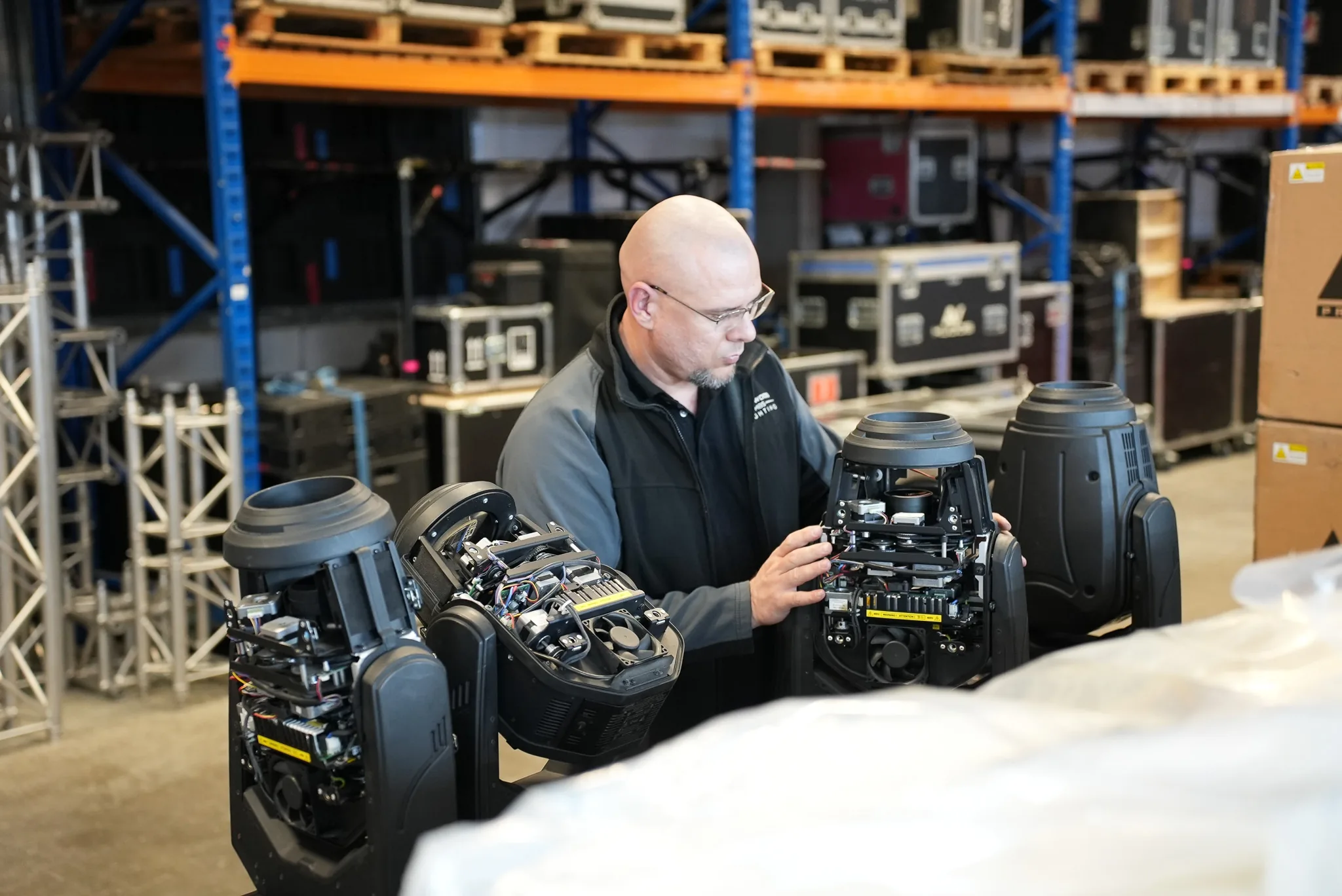
If the fault persists after these checks, the fixture may need bench diagnosis. Problems involving belts, sensors or driver boards can be assessed through our moving head light repair UK service, with component-level repairs considered where practical. Every repaired fixture is tested twice, including a full home and movement cycle, and returned with a report from our Uxbridge workshop.
Our typical diagnosis turnaround is 24-48 hours after the fixture arrives at our workshop. The repair timescale is confirmed after diagnosis.
Show in three days and a head that won’t behave? Don’t gamble on a fix you can’t prove. Send us a video and a line about when it fails, and the Complete Pixel Solutions team can review the symptoms and advise on the next step.
Start a repair →
Share