Part of the panel shows scrambled or shifted pixels across two modules, and pressing the ribbon makes it flicker or come back
LED module ribbon cable fault: scrambled pixels between modules
Last updated:
Garbled pixels across two or more modules usually mean a flat ribbon or a tired board-to-board connector. Here is how to prove it and what we fix on the bench.
- Usually
- Loose, strained or cracked flat ribbon between modules
- Check first
- Reseat both ends, power off, pin 1 stripe the same way
- Fault follows test
- Swap module with neighbour: does the fault move?
- Fixable
- Ribbons replaced, PCB headers reflowed or changed
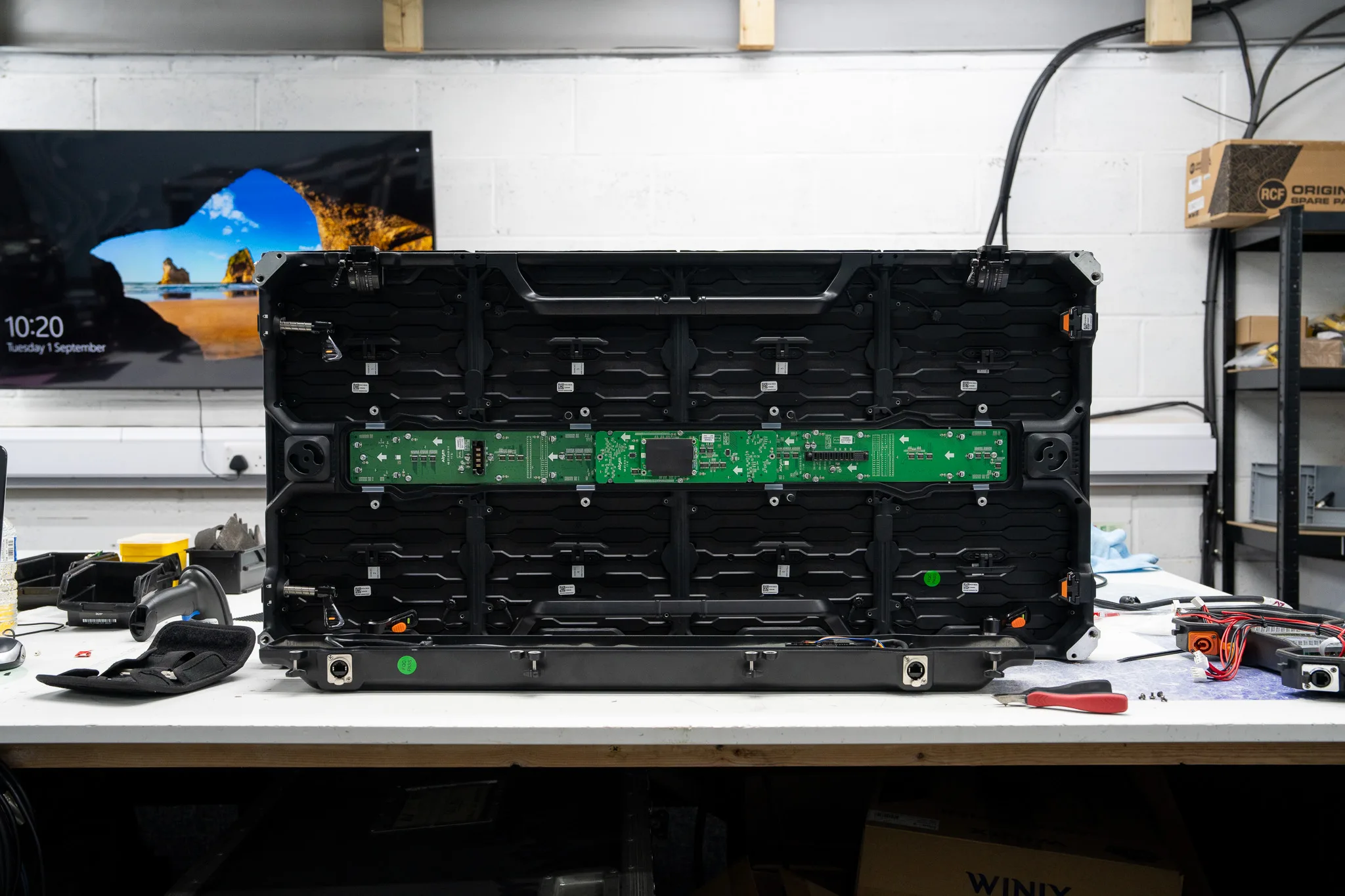
A flat ribbon between two LED modules costs pennies. It will still take a cabinet off air halfway through a set. Nine times out of ten, when a cabinet arrives here with scrambled pixels across part of its face, we find an LED module ribbon cable fault rather than a dead driver chip.
Loose and tired cables beat component failure by a wide margin, and they do it quietly. The cable looks perfectly fine.
That's what catches people out. A ribbon can pass continuity, sit flat in its header, and still drop a clock edge once the cabinet warms up or the truck moves.
What an LED module ribbon cable fault looks like on screen
The giveaway is that the damage spans more than one module. Data runs module to module from a HUB output on the receiving card, so a bad link corrupts everything downstream of it while the modules upstream stay clean.
Patterns we see most:
- Repeated or shifted pixels on the second module in a chain, with the first one correct.
- One colour missing on a module and on everything after it.
- Flicker that appears as the cabinet heats up, or when the frame takes a knock.
- A single module fully black while its neighbours run.
- The image correcting itself for a second when you press on the connector. (That's a diagnosis on its own, really.)
What you won't get from a ribbon is a neat rectangular dark area covering a quarter or a half of the cabinet. That shape points at a receiving card or a PSU output, not the data chain. Different job.
Six checks that prove an LED module ribbon cable fault
Work in this order. It takes about ten minutes on a single cabinet and it splits cable from card from module without guessing.
1. Power down first. Never plug or unplug a data ribbon with the cabinet live. Hot plugging is how a cheap cable fault becomes a dead driver IC, and we see the results of it regularly.
2. Photograph the connections before you touch anything. Phone camera, close enough to read the pin 1 stripe and see which header each ribbon sits in. On a lot of modules the ribbon will physically fit either way round, and a reversed one blacks the module out completely.
3. Reseat both ends. Press the connector fully home and check the latch has clicked. Partially inserted connectors are behind an embarrassing share of "dead module" calls. Check that first, always.
4. Run the fault follows test. Swap the suspect module with a known-good neighbour in the same cabinet. If the fault moves with the module, it's the module. If the fault stays in the same position on the wall, you're looking at the ribbon, the HUB output, the receiver configuration or the local power feed into that position.
5. Swap the ribbon itself. Take a cable from a working position and fit it to the faulty link. Clean result? You've got your answer and you can order spares. This single swap is the fastest confirmation of an LED module ribbon cable fault that exists, and it needs no tools.
6. Inspect the connector under light. Look for bent or pushed-back pins, a flattened retaining latch, green crust on the crimps, brown heat marks around a terminal, and insulation that's been stretched or pinched where the cable crosses a frame edge. Strained wiring is a common one on cabinets that get struck in a hurry.
If the fault stays in position after a ribbon swap, stop treating it as a cable problem. The HUB output on the receiving card can fail by itself, leaving one port dead while its neighbours work. A card that's offline, or loaded with the wrong configuration file, kills whole modules in a way that looks remarkably like a cable fault until you check the sending software. Our guide on a receiving card the processor won't detect covers that path.
One more thing worth doing while the cabinet is open. Put a meter on the 5V feed at the module power pigtail under load, because a sagging rail scrambles data in a way that mimics a bad ribbon almost exactly. We check voltage at the furthest module from the PSU, not the nearest.
What we replace, and what we actually repair
Ribbons are consumables. We don't repair them, we fit new ones, cut to the correct length with the right way count and pitch, and we replace them in pairs or sets rather than one at a time when the rest of the loom is the same age. A mixed loom of old and new cables in one cabinet just books you a second call out.
The board-to-board header on the module PCB is a different matter. That we do repair. A header with a cracked solder joint, a lifted pad or a pushed-back contact comes off with hot air and a new one goes on. It's fiddly on a fine pitch board with the LEDs packed close, so we mask and shield before any heat goes near the emitters.
If a driver IC or shift register has been taken out by hot plugging, that's a component-level job on the module. Worth doing on a current product, rarely worth it on a tired legacy panel where you can source whole modules. We'll tell you which side of that line your kit sits on.
When a module does need replacing, the match has to be exact on pitch, physical size and scan rate, with the same or a compatible driver IC. The part number printed on the PCB is the reference. Send us a good module from the same cabinet and we'll work from it. All of this sits under our LED screen repair work, and you can see the kind of thing that comes through on our completed repairs.
When it isn't the ribbon
A whole cabinet dark with no data light on the card is a network or power question, not a cable-between-modules question. Start at the receiver and the Cat cable, not inside the cabinet.
Single module fully dark with clean neighbours can go either way, and the split between a power fault and a data fault is worth doing properly: we've written that up in one LED module black.
Colour wrong across a whole panel rather than scrambled? That's LED or calibration, and it won't improve with a new ribbon.
Getting it fixed: bench or site
For a handful of cabinets off a rental stock, send them in with one known-good cabinet alongside them if you can spare it. A reference unit halves our diagnostic time, because we can compare behaviour directly instead of inferring it.
For an installed wall, a dark module twelve metres up a venue, or a screen that can't come down, we come to you. Access planning matters there: temporary support structures for LED and display systems are covered by ANSI E1.50-1, and the temporary power feeding the wall falls under BS 7909. Both are published and worth having on file if you build walls regularly. You'll find the entertainment technical standards at ESTA's published documents library.
On spares, go direct to the manufacturer. ROE Visual, Absen and the rest will quote interconnects and panel accessories through their catalogue, but inter-module ribbons generally aren't listed publicly and need a request to their service desk. We make that request as part of the job when we're handling the repair. ROE Visual also run technical training through their academy if you want your own crew diagnosing this before the truck leaves.
If you turn screens around between shows, this is the fault to get ahead of. We build pre-show checks and spares holdings into the work we do for rental houses, and most of what we catch at that stage is an LED module ribbon cable fault in the making rather than a failure. Tell us what the screen is doing and we'll tell you what we think it is: get in touch.

