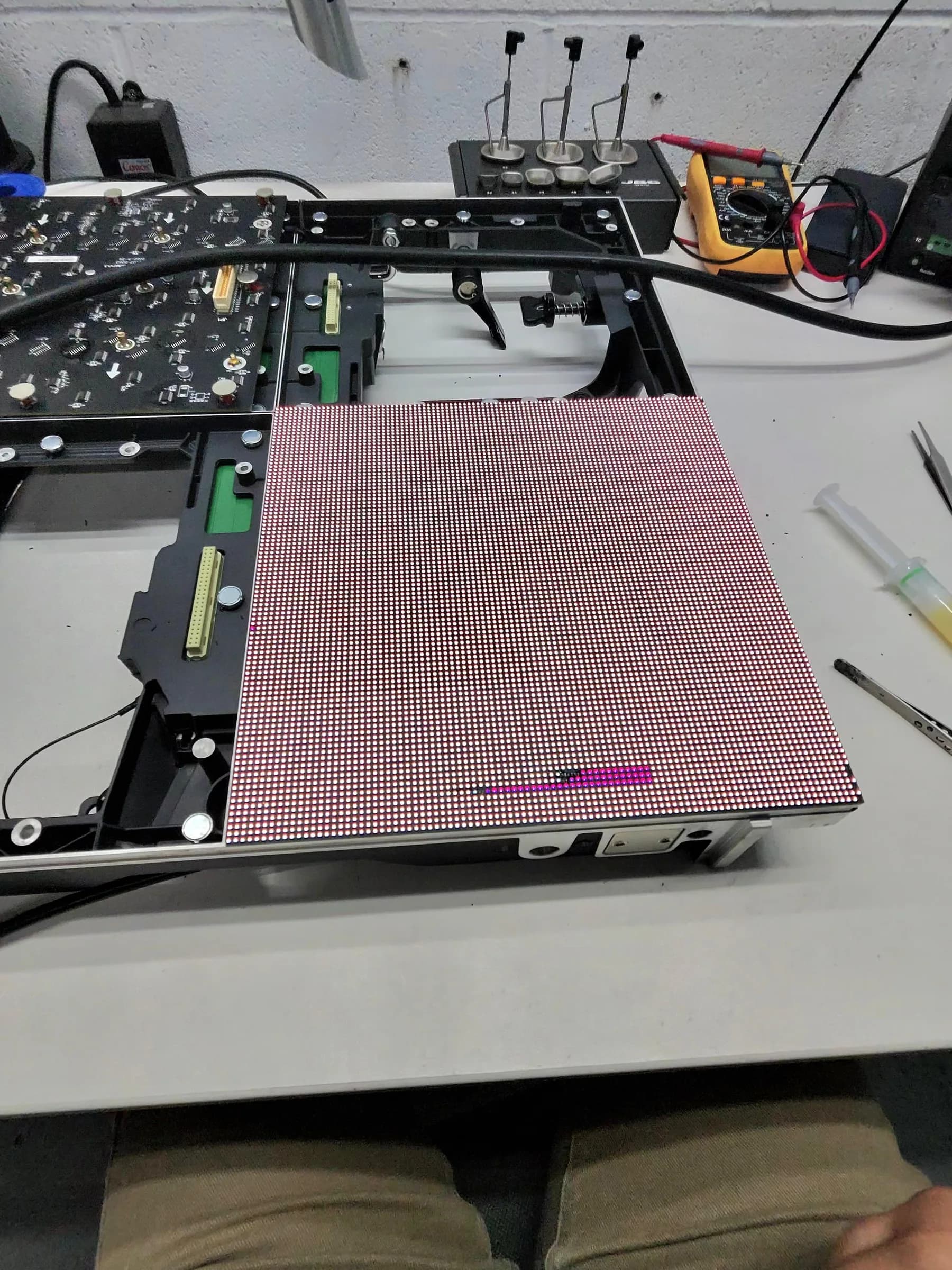
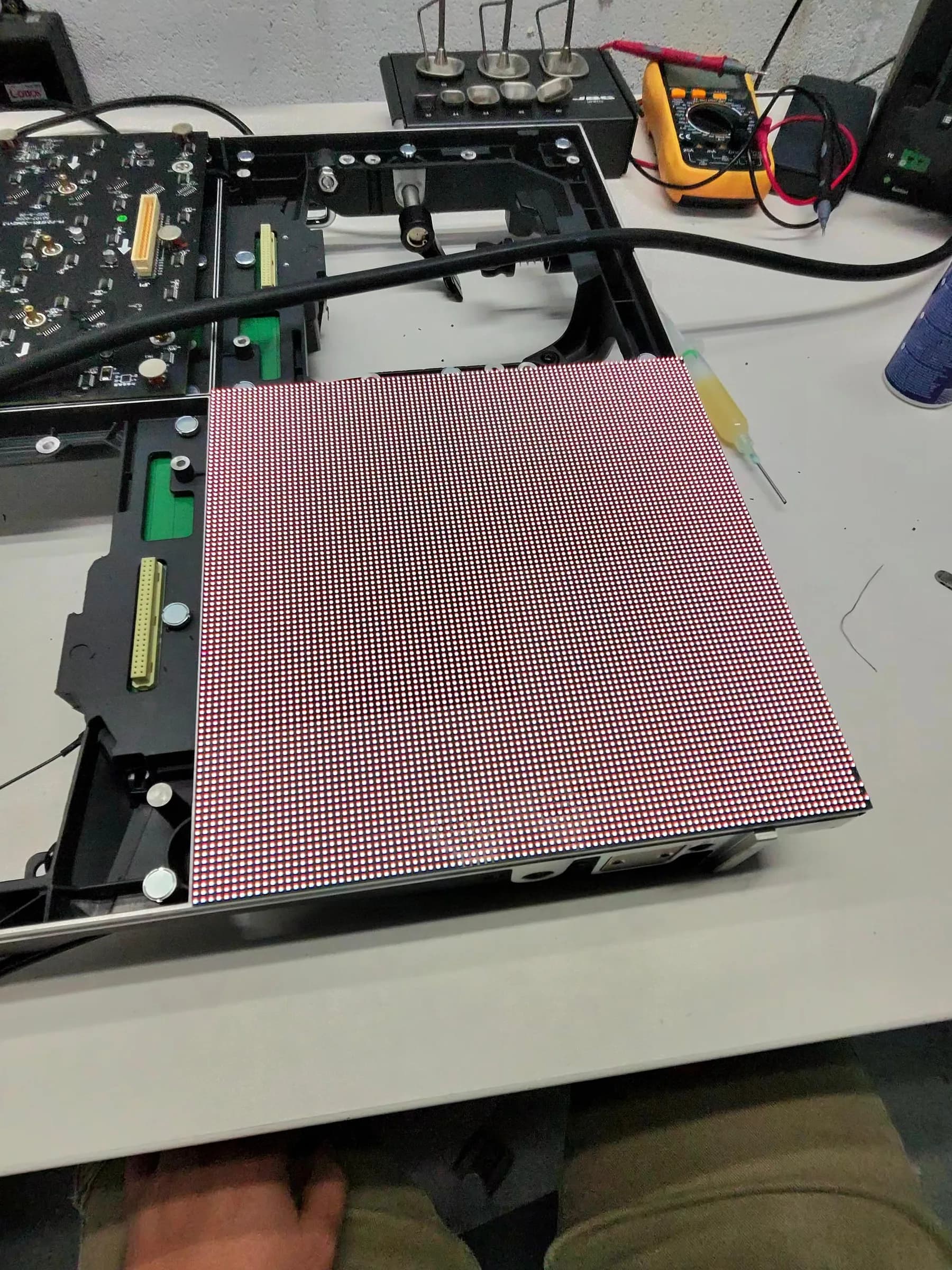
One area of our outdoor LED wall has gone a different colour to the rest, mostly on white and light greys.
LED panel colour shift after outdoor use: what's failed
Last updated:
Hard edges mean hardware, soft gradients mean ageing. How we diagnose colour shift across an outdoor LED panel, and what a cross-swap proves before you recalibrate.
- Usually
- Driver IC channel, or ageing plus lost calibration data
- Check first
- Module seating, ribbons, 5 V at the end of the chain
- Fixable
- Yes if the patch moves with the module body
- Route
- Modules to the bench, whole cabinets on site
A panel that's spent three summers on a stadium roof won't match one that lived in a flight case. Differential ageing is normal and you can't solder it out. What lands on our bench is the other sort of LED panel colour shift: a patch with a hard edge, a rectangle of red cast, or one cabinet gone blue against its neighbours while the rest of the wall sits neutral.
From twenty metres those two look identical. Up close they don't, and the difference decides whether you're booking a repair or a recalibration.
Start with the shape, not the colour
Get close and look for an edge. Shape tells you far more than hue does.
A clean edged rectangle smaller than one module, with one colour weak or missing, points at a driver IC. Those chips feed a defined block of pixels, so when a channel inside one goes off current, the cast stops dead at the block boundary. Nothing natural produces an edge that straight.
A fault that follows the module outline exactly is the module, or whatever feeds that module. A whole cabinet or a run of cabinets drifting together is signal or power: a receiving card putting out corrupt colour data hits every module hanging off it. Half a cabinet looking dim and warm usually means the 5 V rail is sagging under load, not that anything optical has failed.
And a slow gradient with no edge anywhere? That's wear and calibration. Swapping modules won't touch it.
Cross-swap before you touch calibration
Order of work matters more here than anywhere else in LED screen repair. Don't rewrite receiving card parameters and don't run a brightness or chroma calibration until the hardware link is proven stable. Calibration cannot repair a dead emitter, a part failed driver IC, an open circuit or a loose ribbon. Push fresh config onto a wall that has a hardware fault and you'll often spread the bad area wider than it started. We've undone that job for people more than once.
So work in this order.
- 1.Mounts and latches. Front service magnetic fixings shift in transport and in wind, and an intermittent module contact reads as a colour fault long before it reads as a dead module. Check that first.
- 2.Ribbons and power connectors at the HUB. Reseat them, then look at the pins. Green crust on a power pin is your answer.
- 3.Voltage under load. Measure 5 V at the last module in the chain with full white on screen, not on a black field. A rail that holds at idle and drops a few tenths under white will pull the colour point with it.
- 4.Then swap.
The swap test settles it. Fit the suspect module into a known good position on the same cabinet, and fit a known good module where the suspect one was. Run full white, then a mid grey. If the fault travels with the module body, the module itself is defective. If the fault stays put in the original position, the module is innocent and you're looking at the HUB output port, the ribbon, the receiving card output or that position's power feed. (Tape and a marker pen before you start. Two swapped modules and no notes is a long evening.)
One more check costs nothing. Run the wall cold, then run it warm. White LEDs shift slightly as junction temperature climbs, so a panel that matches on a cold start and drifts after twenty minutes of full white is telling you about thermal behaviour rather than about dead parts. Photograph both states with the same camera, white balance and exposure locked. Phone auto white balance will lie to you cheerfully.
Where the whole cabinet is affected and reseating the data cable changes the symptom, the fault is further up the chain than the glass, and our guide on a receiving card the processor can't see covers where to probe next. Modules that fail the swap test can come straight to us through send in repair. Send four or five, including one good one from the same cabinet as a reference, because matching work is impossible without a control sample.
What causes LED panel colour shift outdoors
Sunlight and weather cycling attack the package before they attack the die. Microscopy of failed CSP packages taken out of street lighting shows cracked phosphor layers and adhesion failure, and as phosphor coverage is lost the output swings toward blue violet. The same chemistry sits over your outdoor pixels behind the mask, taking UV all day and thermal shock every evening.
Water does the rest. Moisture that gets past a tired gasket corrodes driver IC pins and module connectors, and a partial short on one channel sets the wrong current for that colour across the chip's whole coverage area. That's the hard edged rectangle again.
Then there's plain ageing. Red, green and blue dies don't degrade at the same rate, and reds drift first on hot installs, so a white field slides off neutral long before any single pixel dies. Mix in modules from different production batches, add a receiving card someone replaced without re-loading the calibration coefficients, and the wall will show you a patchwork that looks like damage but isn't.
What we fix, and what's past fixing
Driver ICs, connectors, ribbon cables, HUB boards, receiving cards and power supplies are all bench work, and they're where most LED panel colour shift actually ends. Individual degraded emitters come off and get replaced. After any module change we re-sync calibration data, because a replacement that works perfectly well can still stand out as a reddish or bluish patch against weathered neighbours, with the mismatch worst at low brightness.
What we won't pretend to fix is a module where the encapsulant has yellowed and the phosphor has gone across the whole face. Every package on it is drifting, and re-lamping the lot costs more than a replacement module while the manufacturer still has stock. On discontinued pitches we'll tell you to harvest from retired cabinets instead and we'll test what you've got.
Rental stock has a second problem: inventory drift. A wall built from three generations of the same product will never agree with itself until someone calibrates it as one population. That work is worth doing once properly, and it's a regular job on our rental house accounts alongside the module repairs. You can see the kind of screen work we turn around on our completed repairs page.
Signing off an LED panel colour shift repair
Test harder than the fault did. Low brightness and high brightness, full white, a greyscale ramp and moving video, then cold start and again after the wall has warmed through. Faults that hide at 80 per cent show themselves at 15.
Archive the evidence while it's in front of you: config files, voltage readings under load, which module went where, and photographs at fixed exposure. Methods for colour measurement trace back to the CIE 1931 standard observer, published by the CIE, and your processor manufacturer's own calibration documentation will tell you which coefficients it stores and where.
If the shift covers whole cabinets and the wall can't come down, on site service is the sensible route. For loose modules, ship them in. Either way, tell us what you're seeing and send the photographs, because shape is the diagnosis and we'd rather look at it than read about it.